February 28, 2020
Usb device not recognized windows 10
- Win+Q to open search and then type “Choose a power plan” and press enter
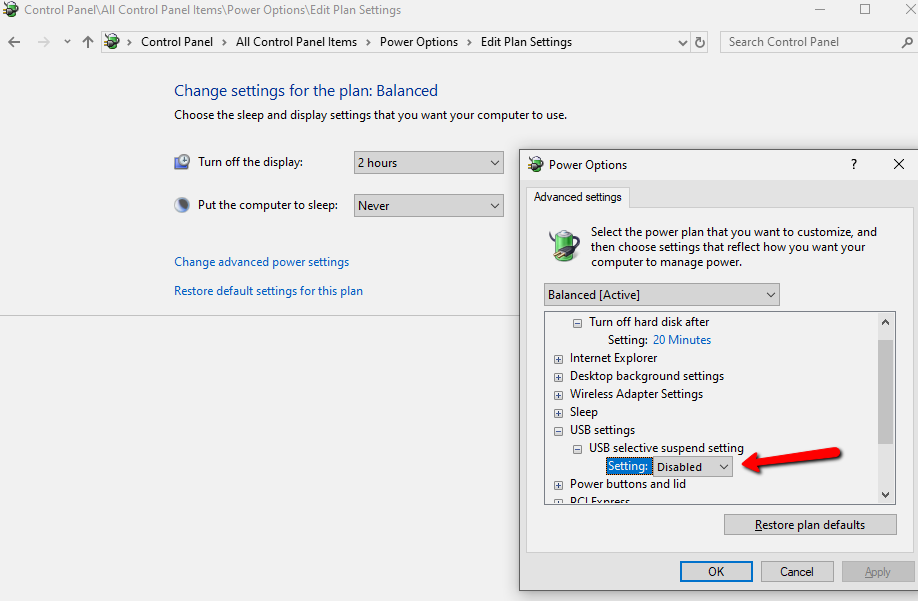
- On the selected preferred plans click on “Change plan settings”
- Then click on “Change advanced power settings”
- Then expand “USB settings” => “USB selective suspend setting” => set it to “Disabled”
- Click Ok

Docker Desktop – Docker failed to initialize
Windows 10 Search not working
SQL Server Management Studio (SSMS) cannot be closed
About Author
